
What you get
New in 0.2.2. Codex support and replies from the island came in 0.2.2. Earlier versions do not have them.
Codex sessions show up in the same island as your Claude Code and Cursor sessions, each with its own row and state (for example working or done).
- Their own mark. Codex sessions wear a Codex mark, so you can tell the tools apart at a glance.
- A filter chip. The session list has a Codex chip next to All, Claude Code and Cursor.
- Allow and Deny. When Codex asks permission for something, the request appears as a card in the island with Allow and Deny buttons.
- A switch. Show Codex sessions in Settings turns them off again; they are then not followed at all.
Set it up
- Open Nook’s Settings, go to Connect and find the Codex section.
- Under Sessions and approvals, click Connect…. Nook shows a preview of the exact diff and the path of the dated backup it will take.
- Click to confirm. Nothing is written until you do. Nook writes
~/.codex/hooks.json(that is,%USERPROFILE%\.codex\hooks.json) and touches only its own entries; your own hooks and any other key stay as they are. - Trust the new hooks in Codex, once.
It follows the same rules as the Claude Code hooks: see how the install stays safe. The Codex section can also remove its entries again, with the same preview, backup and click.
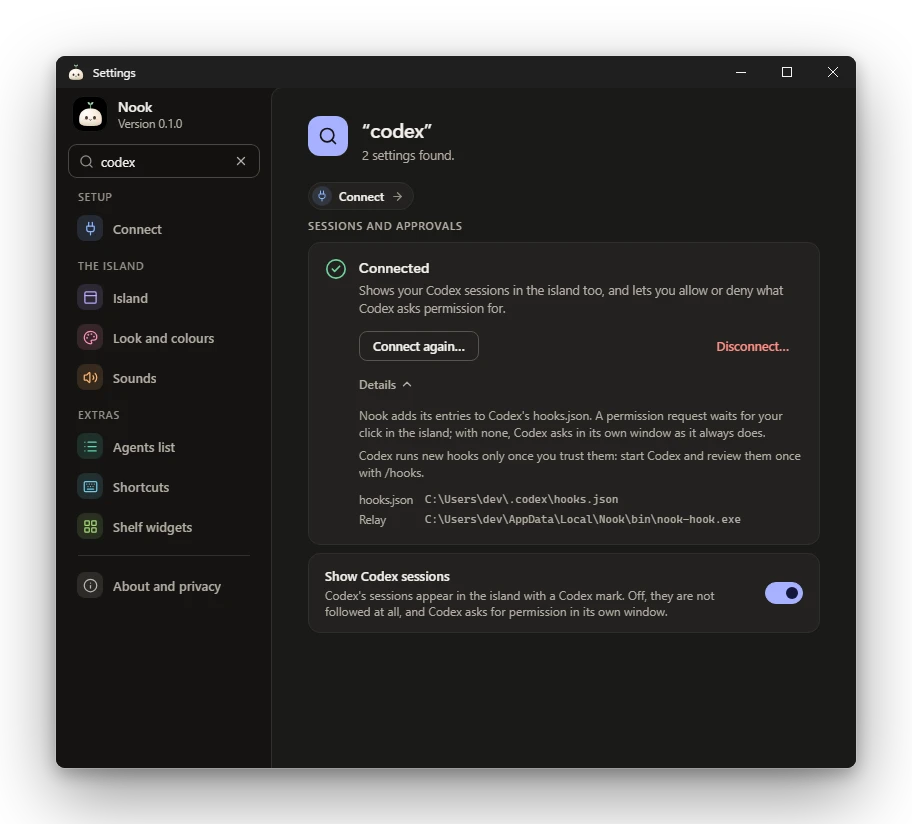
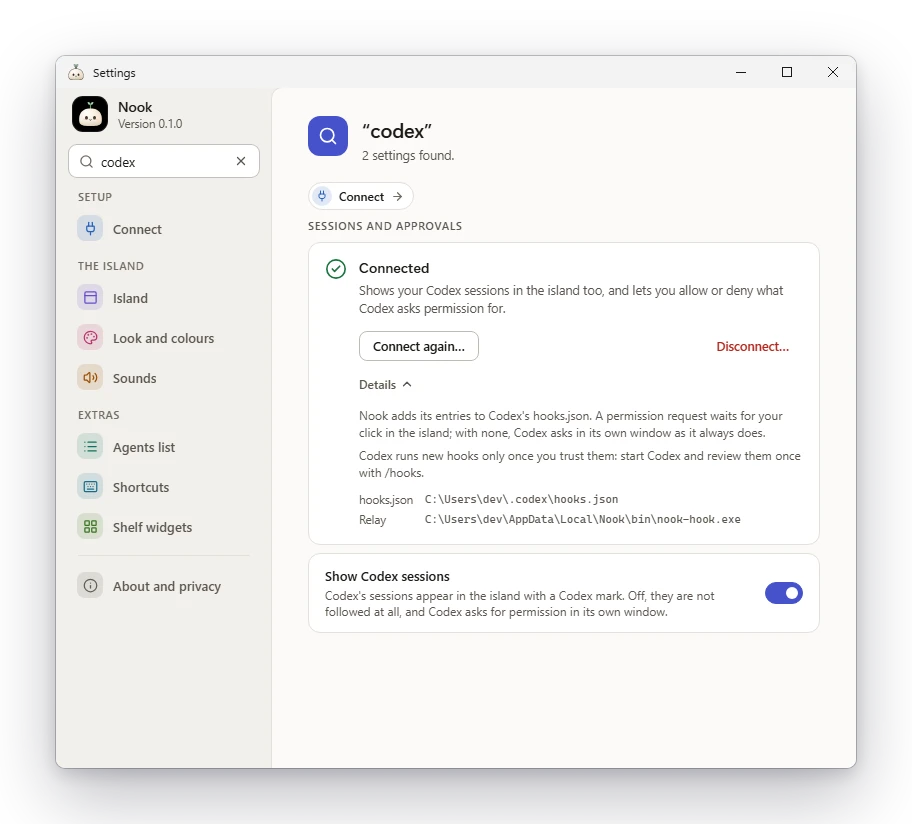
Trust the hooks in Codex
Codex runs a new hook only once you have trusted it. After connecting, start Codex and review Nook’s entries once with /hooks. Until you do, Codex does not run them and nothing from Codex reaches the island.
Allow and Deny
A permission request from Codex waits in the island for your click. Nothing is approved without it. If Nook is closed or does not answer, the relay exits at once and Codex asks in its own window as it always does, so Codex never waits for Nook.
Reply from the island
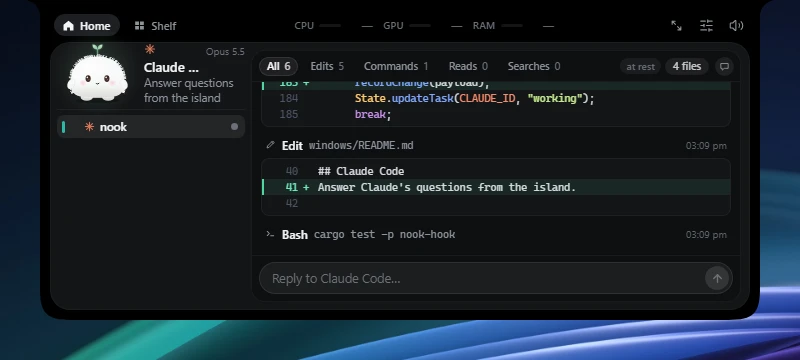
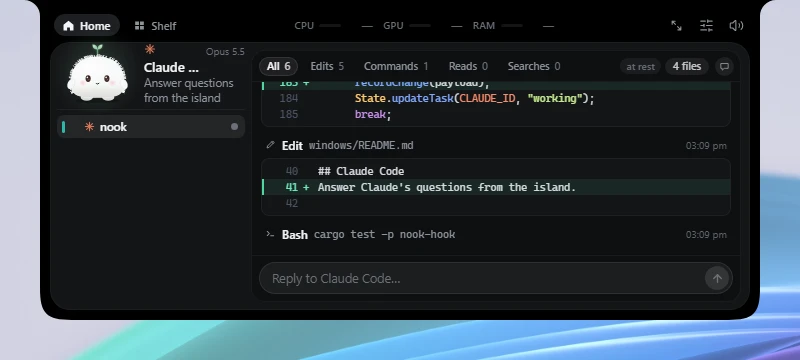
When the turn of a Claude Code or Codex session is over, a reply box (“Reply to Codex…”) appears on the finished card and under the journal of the session panel. Enter sends; Shift+Enter makes a new line.
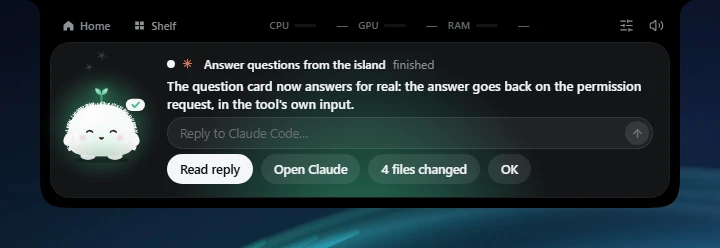
Nook delivers the reply in the window the session runs in, so the conversation carries on there. For a terminal session, Nook brings the terminal forward, types your reply and presses Enter. For the Claude Code panel of VS Code or Cursor (the extension), Nook brings the editor forward and opens that session with your reply already in its prompt box; you press Enter there yourself. Nook never touches the clipboard. A reply can also be sent while the session’s subagents are still running; a warning says the new turn may cross with what they report.
The limits, plainly:
- The box is only there while Nook can find the session’s window. It is not offered for Cursor’s own agent sessions, for Claude Code running in an editor’s built-in terminal, for the Claude desktop app, or on Linux.
- In a terminal with tabs (Windows Terminal), the session’s tab has to be the one showing: Nook cannot switch tabs. If another tab is showing, or the terminal runs as administrator, nothing is sent anywhere and what you typed stays in the box, with the reason.
- If you change windows while Nook is typing, it stops, does not press Enter, and says so.
What it does not do
- No usage limits for Codex. The 5-hour and weekly numbers in the island are Claude’s; Codex’s are not shown.
- It never approves anything on its own, and it never blocks Codex. It adds no telemetry and no network use of its own.
- It touches only Nook’s own entries in
hooks.jsonand never another tool’s hooks.
At a glance
| Claude Code | Codex | Cursor | |
|---|---|---|---|
| Shown in Nook | Yes (0.1.0) | Yes (0.2.2) | Yes (0.2.0) |
| Approve from the island | Yes, with questions | Yes: Allow or Deny | No: status only |
| Reply when the turn is over | Yes (0.2.2) | Yes (0.2.2) | No |
| Usage limits | Yes | Not shown | Not shown |
| Set up with | Settings, Connect, Claude Code, Sessions and approvals | Settings, Connect, Codex, Sessions and approvals (then /hooks in Codex) | Settings, Connect, Cursor, Sessions (then restart Cursor) |
| Hooks file | ~/.claude/settings.json | ~/.codex/hooks.json | ~/.cursor/hooks.json |
Disclaimer: Nook is an independent project, not affiliated with or endorsed by OpenAI. Codex is a trademark of its owner.